Saturday started with a small, boring problem. We have a trip coming up, and our travel documents — two eVisas, two share codes, flight tickets, coach tickets, travel insurance — were sitting in a Drive folder with names like 5_6077874758202958949.pdf.
By the evening I had three things running in the cloud, all usable from my phone, none of them needing my Mac to be switched on:
- Doc Vault — a Telegram bot the whole family can send documents to. It reads each one, names it properly, files it in Google Drive, and sends it back when you ask for it.
- A Fitbit dashboard at my own subdomain, because my new Fitbit Air only has a phone app.
- Meal Logger — snap a photo of your plate, and the calories, protein, carbs and fat land in Google Health. Every evening it sends a report of the day with what went well and what to do better.
I built all of it by talking to Claude Code — mostly with my voice. Here’s how it went, including the parts that didn’t.
Part 1: Doc Vault
The idea
Telegram is already on everyone’s phone. So instead of another app, the family assistant is just a chat:
- Send a PDF or photo → it’s read, named and filed.
- Type “Rahul visa” or “bus ticket” → you get the file back.
- Ask “what’s my flight PNR?” → you get the answer, not the PDF.
Where to host it (the cheapest answer was the best one)
My first plan was AWS Lambda — free at this volume. But finishing a personal AWS sign-up (card checks, identity verification) on a Saturday was a hassle. Shared web hosting like HostGator is built for WordPress, not for bots that read PDFs with AI, so that was out too.
The winner was Google Apps Script. It’s free, it runs on Google’s servers, it needs no account beyond the Google one I already had — and Google Drive is built in, so there was no OAuth client to set up for the most important part. The only bill is Claude reading each document: a few pence.
The first thing that broke: Telegram and redirects
Telegram bots normally use a webhook: Telegram POSTs every message to your URL and expects a 200 OK back. Apps Script runs your code fine — but it always answers with a 302 redirect. Telegram treats that as a failure and keeps retrying the same message, so new messages queue up behind it. The bot looked dead.
The fix was a tiny Cloudflare Worker (free) in front: it says “200 OK” to Telegram instantly, then forwards the message to Apps Script in the background.
export default {
  async fetch(request, env, ctx) {
    const key = new URL(request.url).searchParams.get('k');
    if (request.method !== 'POST' || !key) return new Response('not found', { status: 404 });
    const body = await request.text();
    ctx.waitUntil(fetch(`${env.APPS_SCRIPT_URL}?k=${key}`, { method: 'POST', body }));
    return new Response('ok');
  },
};
Replies went from “up to a minute” (my interim fix was polling every minute) to a couple of seconds.
It kept growing
Once the basic loop worked, each new idea was a ten-minute change:
- A folder per person. Whatever my wife sends goes into her folder, whatever my mum sends goes into hers — but anyone can search everything. New family members are added from Telegram with
/adduser. - Front and back photos. Send both sides of a card as one album and the bot waits a few seconds, collects the pages, and saves one PDF.
- Duplicates, with buttons. Send a clearer copy of something already saved and Claude compares the two: “The new one is clearer — ✅ Use new / ↩️ Keep old / 📎 Keep both.” Nothing is ever deleted; the loser moves to an “Old versions” folder.
- Expiry reminders. Claude records an expiry date for anything that has one. Every morning a check runs, and you get a Telegram message 90, 30, 14, 7 and 1 days before a visa, share code or policy runs out.
- Trip packs. “trip pack” → every ticket, visa and insurance document merged into one PDF, using
pdf-librunning inside Apps Script. - An email inbox. Forward a booking email to a
+docvaultGmail address and the attachment is filed too. - Voice messages and Gujarati. My mum can send a voice note in Gujarati, and the bot replies to her in Gujarati.
- Auto-delete. Documents disappear from the chat after an hour — they stay in Drive. If a phone gets lost, the chat isn’t a goldmine.
Bugs worth remembering
“Give me my Aadhaar card” sent my wife my Aadhaar. The bot didn’t know who was asking, and “aadhar” (one a) didn’t match the file name “Aadhaar”, so the request fell through to Claude without that context. Now “my”, “mine” and “me” mean whoever sent the message, and common spellings are mapped.
A model alias hung for six minutes. For voice transcription I used Google’s Gemini with a -latest model alias. The call didn’t fail — it just never returned, until Apps Script killed it at its six-minute limit. The newest named model was answering “high demand, try later”. The fix: try a list of models, fastest and lightest first, and skip any that are busy or retired. Transcription went from 2.5 minutes to under a second.
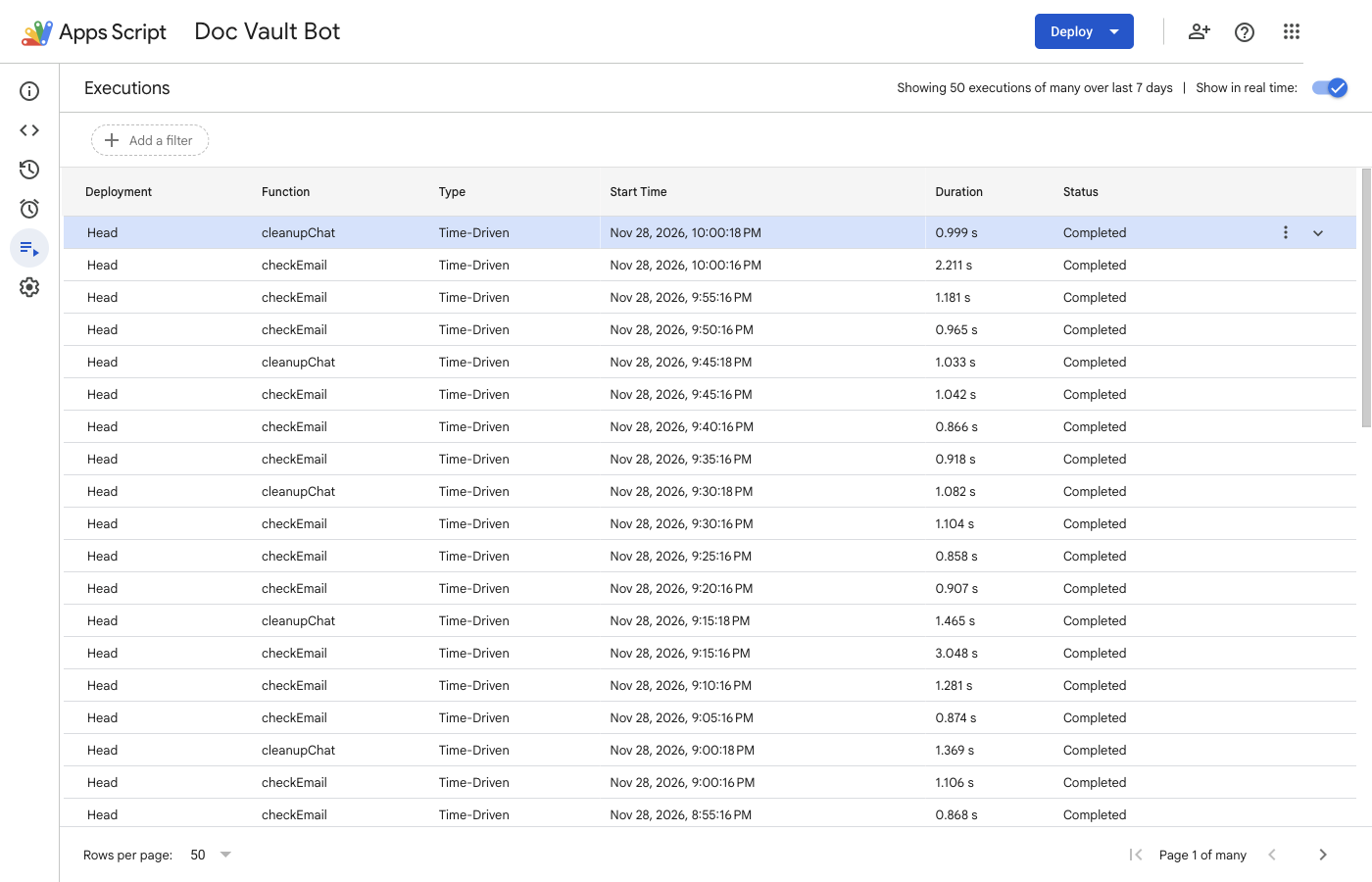
Doc Vault’s scheduled jobs in Apps Script: an email check every five minutes, a chat clean-up every fifteen.
Part 2: A dashboard for the Fitbit Air
Google retired the fitbit.com dashboard in 2024, and the Google Health app is phone-only. I wanted my data on a big screen.
The old Fitbit Web API was switched off on 2 November 2026, so only projects built on the new Google Health API still work. Searching GitHub turned up a handful of very new projects. I picked Wristside: a small, MIT-licensed Next.js app with no database — your Google tokens live in an encrypted cookie in your own browser. Before deploying it I checked the code only ever talks to Google.
It now runs on Vercel next to this blog, at a subdomain of raaulc.com — one CNAME record at my DNS host.
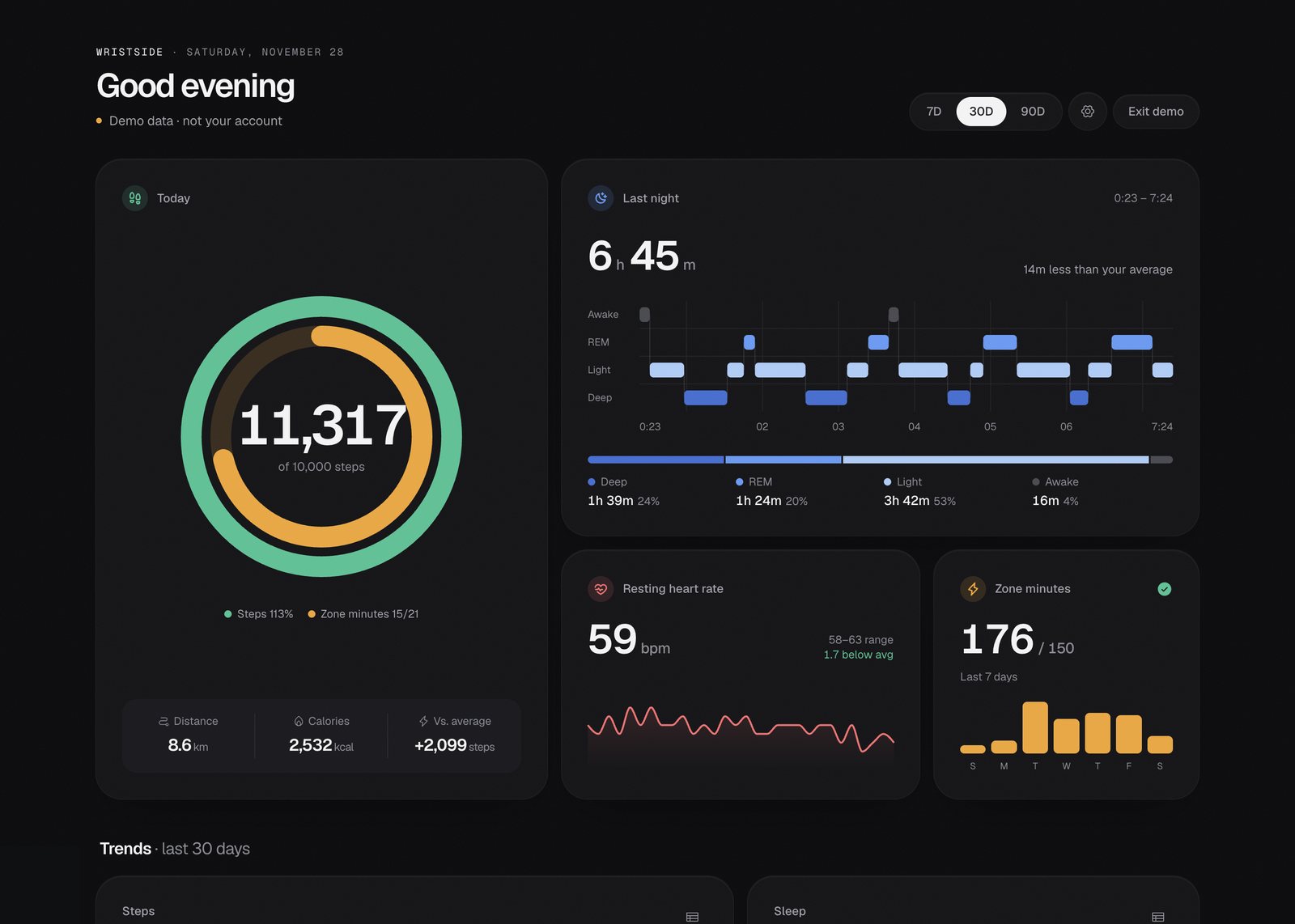
Wristside’s demo mode, with sample data rather than mine.
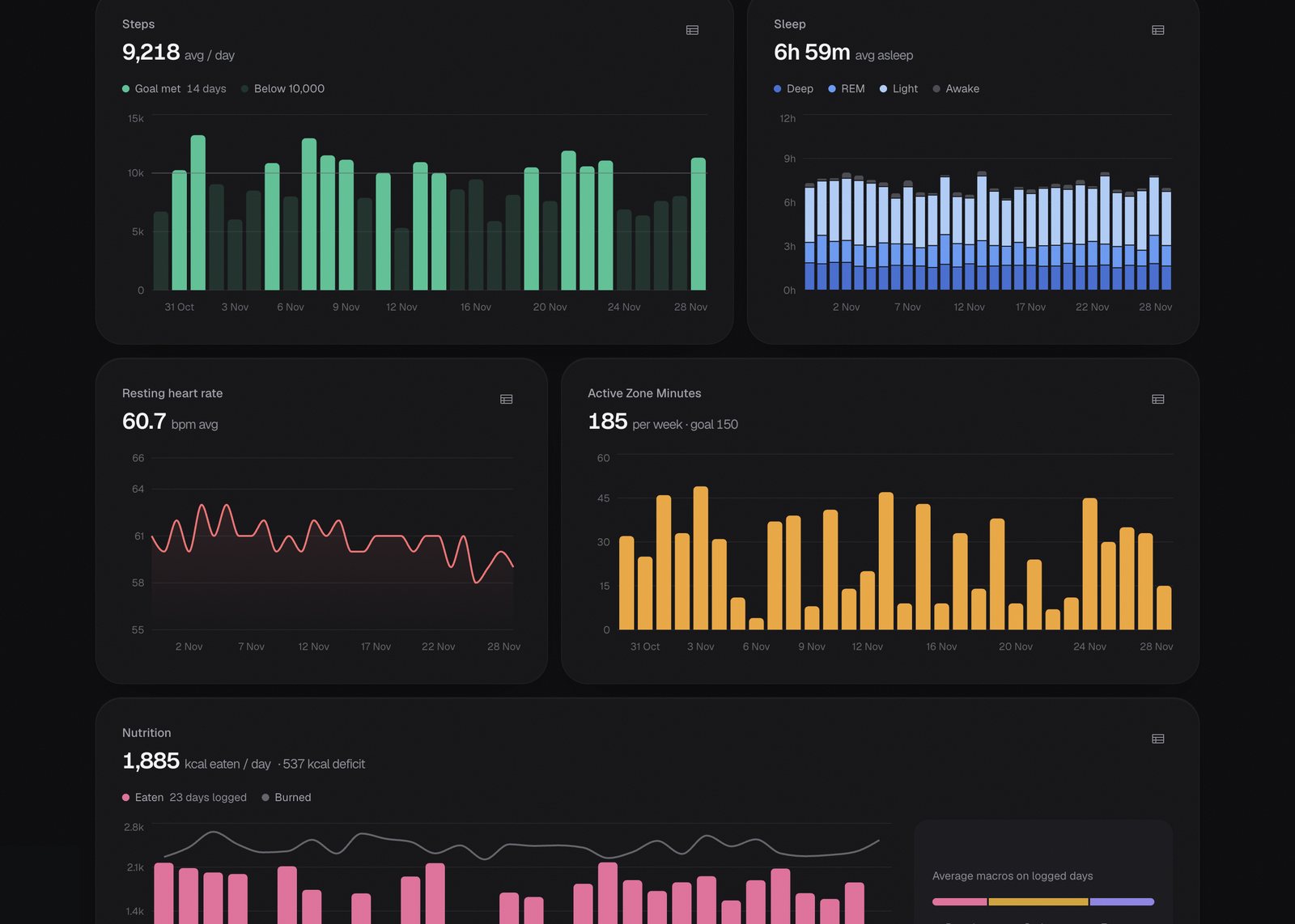
Two small surprises:
- “Access blocked” on first sign-in. My Fitbit lives on a different Google account from the one I used to create the app. Apps in Google’s “testing” mode only let in listed test users — adding the right email fixed it.
- Vercel won’t give secrets back. I tried to reuse the dashboard’s Google client secret in another project by pulling it from Vercel. Secrets marked sensitive come back empty — by design. The fix was to create a second secret for the same client (Google allows two).
Part 3: Meal Logger and an evening health report
The dashboard shows nutrition, but logging food by hand is the reason nobody does it. So the second bot does it from a photo.
Claude identifies each item on the plate, estimates the portion from visual cues, and the bot writes a nutrition-log entry through the Google Health API. A caption like “half portion” or a correction like “it was 3 roti” is taken at face value.
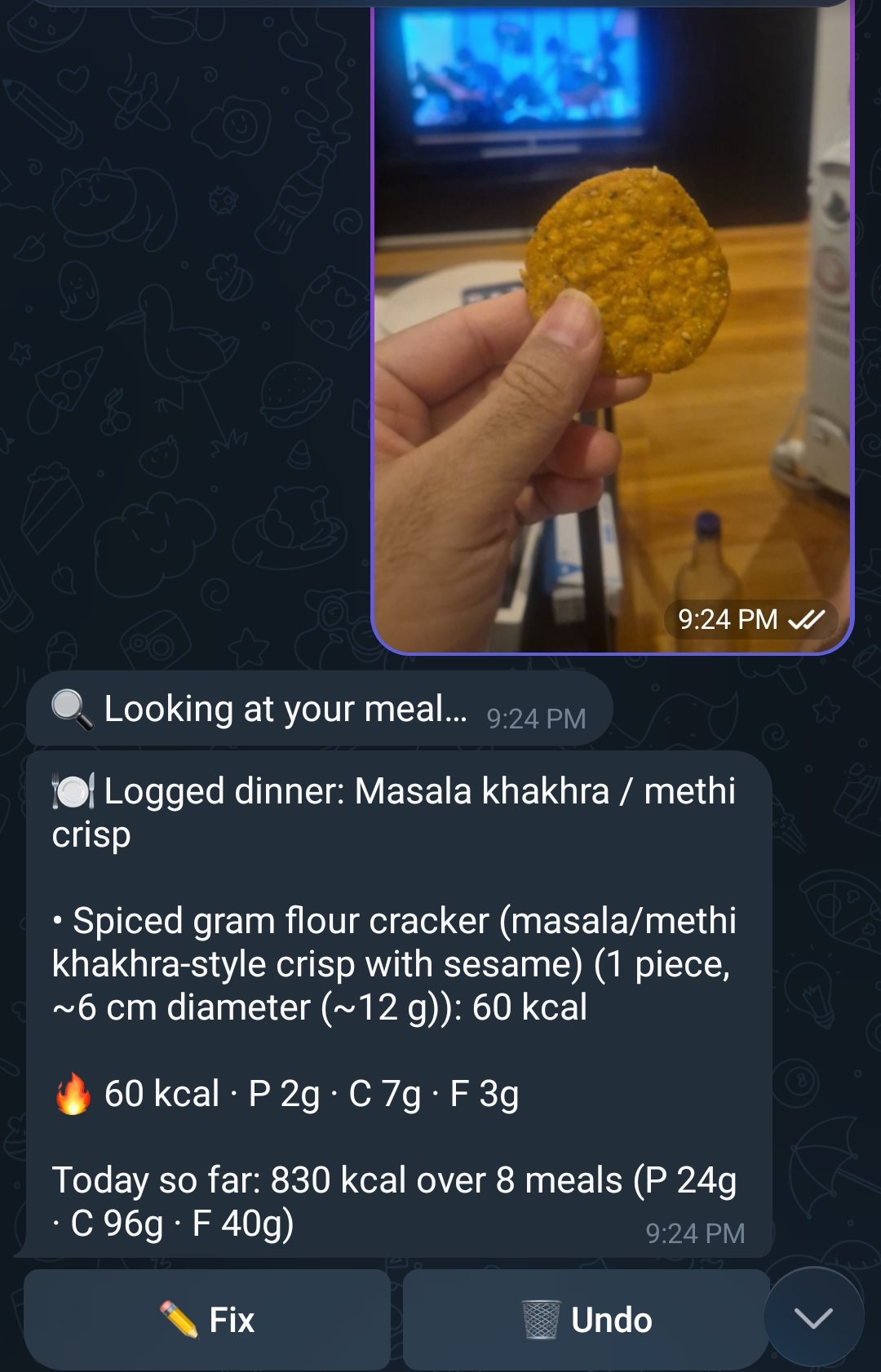
Then it grew into a small health coach:
- 8am: “What’s your weight today?” Reply with a number and you get your BMI, the healthy range for your height, a goal weight, and daily calorie, protein and step targets (resting needs from the Mifflin–St Jeor formula, actual burn from your Fitbit). Skip a day and it uses your last known weight.
- 9pm: the day in one message — steps, Active Zone Minutes, calories burned vs eaten, protein, sleep, resting heart rate — then ✅ what went well and 💡 what to do tomorrow, written by Claude from the numbers.
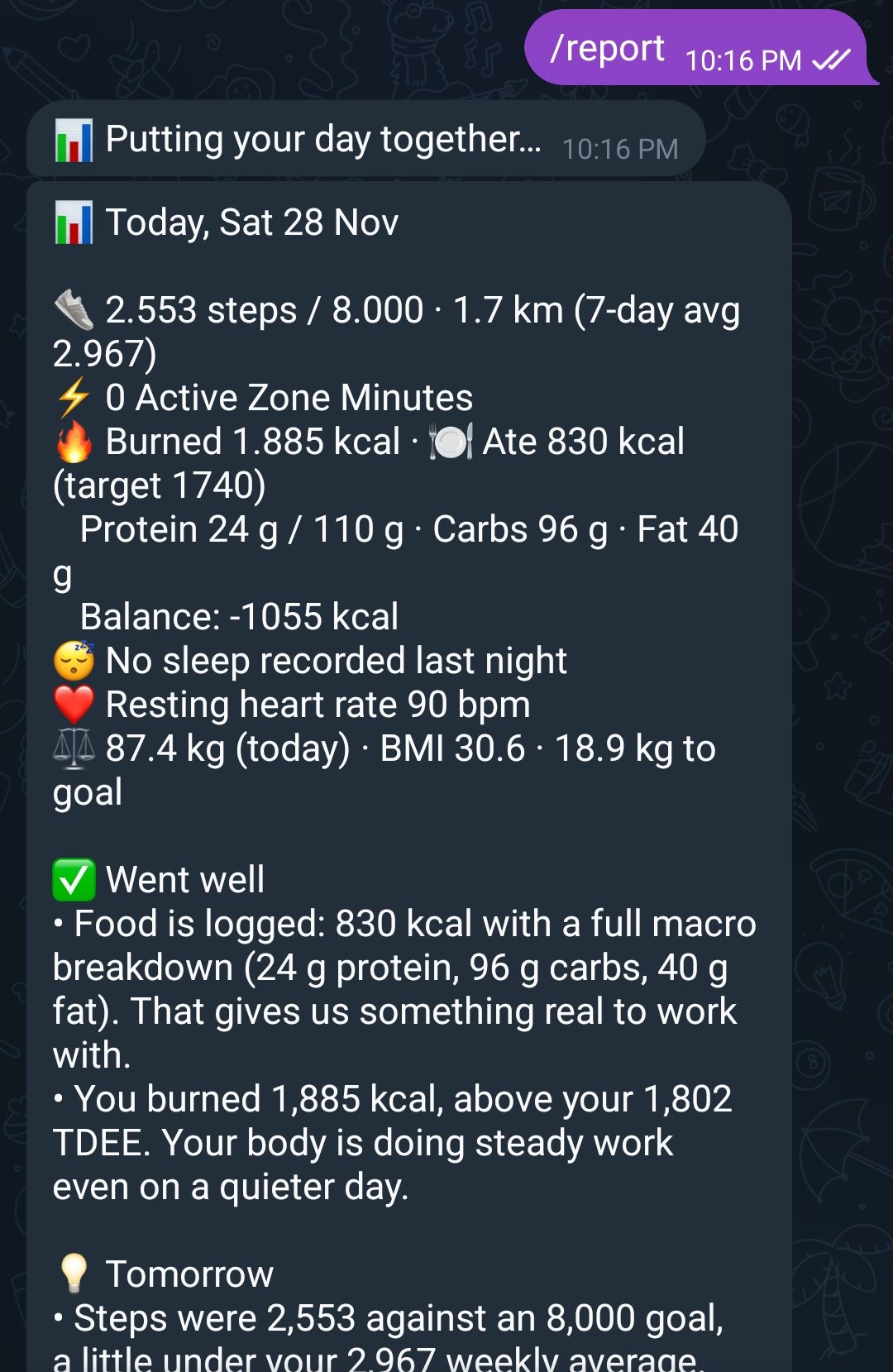
One last bug: after I reconnected Google with more permissions, the report still said n/a. The bot was holding on to an access token from the old connection for up to an hour. Clearing that cache when you reconnect fixed it.
What it costs
| Piece | Runs on | Cost |
|---|---|---|
| Doc Vault + Meal Logger bots | Google Apps Script | free |
| Telegram relays | Cloudflare Workers | free |
| Fitbit dashboard | Vercel (next to this blog) | free |
| Reading documents and meals | Claude API | a few pence a day |
| Voice transcription | Gemini API | free tier |
What I’d tell you before you try this
- Pick the host that removes the most setup, not the “proper” one. Apps Script was the least impressive option and the right one.
- Read error messages to the end. The 302, the six-minute hang and the empty secret were each obvious once I logged the actual response.
- Personal Google apps re-ask for permission every 7 days while in testing mode. For a meal logger that’s a tap a week. For anything safety-related — I’d love to monitor my dad’s heart rate from his Fitbit Versa 4 and email an SOS — a check that silently stops is worse than none. That’s the next experiment.
- Talking beats typing. Most of today’s instructions were spoken through a dictation app. It’s a surprisingly good way to build.